




convopus is a Python CLI program for converting audio files and directories to opus - or MP3 - using ffmpeg.
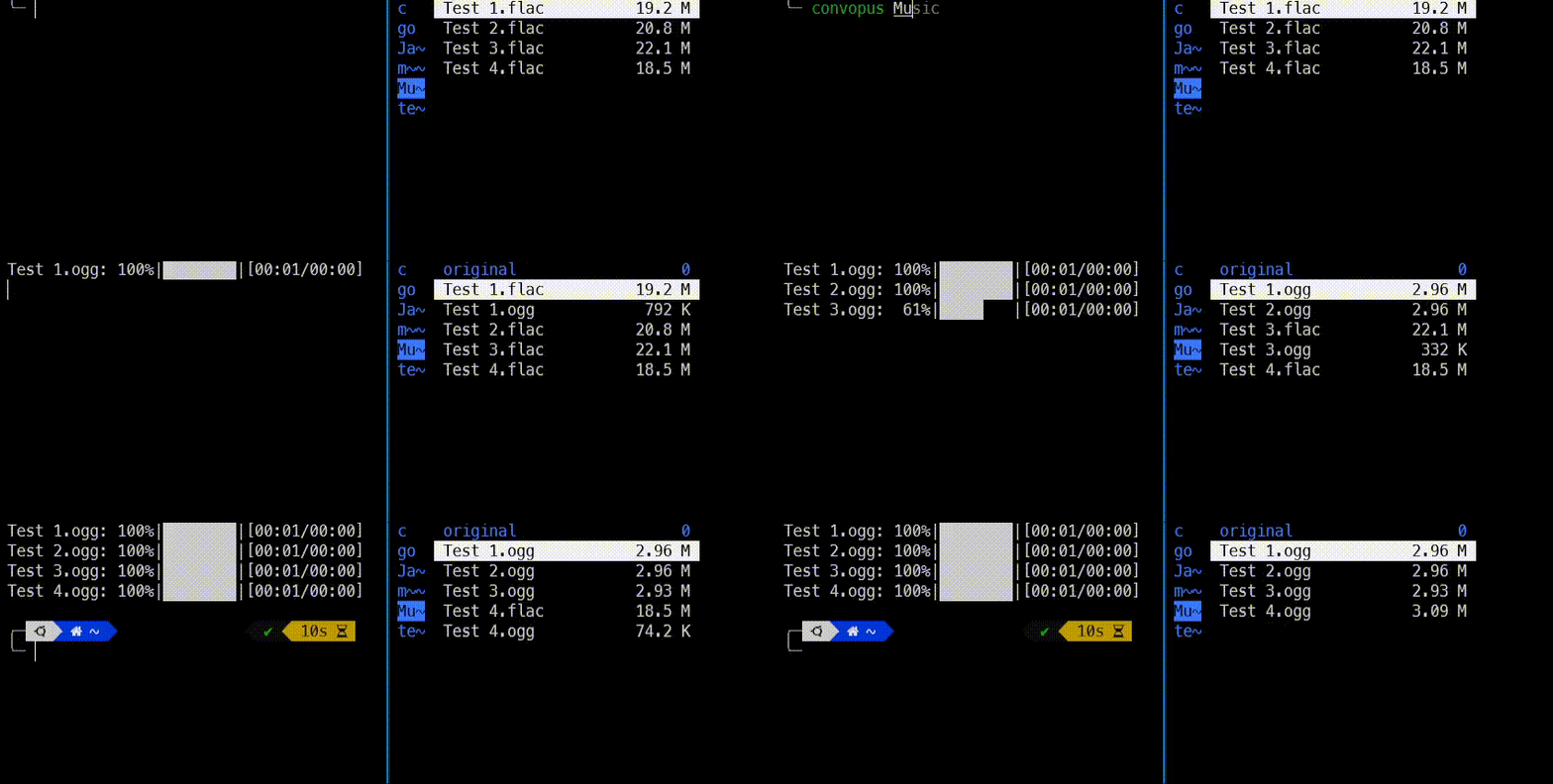
- Convert audio to Opus, or MP3 with
--mp3 - Convert whole directories, with optional recursive folder scanning (
-r) --outdirectory for converted files with mirrored folder structure- Fast multiprocessing conversion (
-m) - Multiple input files / directories in a single run
- Customizable via config.json: bitrate, container, VBR, convertible file types, defaults for every flag
- Cross-platform: Windows, Linux, macOS, Android (via Termux)
- Live progress bars per file and for the whole run
- ffmpeg installed and on your PATH
- Python 3.11+
| Platform | Command | Download / notes |
|---|---|---|
| Windows | winget install BtbN.FFmpeg.GPL.Shared |
Recommended: BtbN GPL shared build (master branch), easy to update with winget upgrade. Alternatives: winget install Gyan.FFmpeg, scoop install ffmpeg, choco install ffmpeg, or a manual build from gyan.dev / BtbN (then add its bin folder to PATH) |
| Linux (Debian/Ubuntu) | sudo apt install ffmpeg |
Packages come from the distribution |
| Linux (Fedora) | sudo dnf install ffmpeg |
May need the RPM Fusion repositories |
| Linux (Arch) | sudo pacman -S ffmpeg |
|
| Linux (Alpine) | sudo apk add ffmpeg |
|
| macOS | brew install ffmpeg |
Homebrew formula; MacPorts: sudo port install ffmpeg |
| Android (Termux) | pkg install ffmpeg |
Official download page and source builds: https://ffmpeg.org/download.html. Verify the install with ffmpeg -version before running convopus. The GPL Windows build is fine here: convopus runs ffmpeg as a separate program, so its licence does not affect convopus or your converted files.
pip install convopusOr from source with uv:
git clone https://github.com/D221/convopus
cd convopus
uv tool install .convopus -h # full help
convopus music/ # convert a directory (originals are kept)
convopus -r music/ # include subdirectories
convopus -r --out converted/ music/ # write results to converted/, originals untouched
convopus -dk album/ # delete originals after converting
convopus -m -r biglibrary/ # convert in parallel
convopus -j 4 -r biglibrary/ # cap the worker pool at 4 processes
convopus -q -r cron/ # no progress bars, for logs and scripts
convopus -y -r music/ # replace existing .opus files
convopus --skip-existing -r music/ # leave already-converted files alone
convopus --mp3 -k song.flac # convert to MP3 instead of opus
convopus a.flac b/ c.wav # multiple inputs in one runWith -o/--out DIRECTORY converted files are written to that directory instead of next to the originals: the input structure is mirrored under it - subfolders are recreated when -r/--recursive is used, otherwise files are placed directly in the output directory.
Originals are only deleted (-dk) after a successful conversion. Files that fail (corrupt input, unwritable output, refused overwrite) are reported, skipped, and kept; any failure makes convopus exit with status 1 so scripts can detect it.
By default ffmpeg asks before replacing an existing output file; -y/--overwrite replaces it without asking, and --skip-existing leaves files whose output is already present alone. Two inputs that would produce the same file (a.wav and a.flac -> a.opus) cannot both be converted: the first is converted and the other is skipped. An output that would replace any input file (for example -c .wav on .wav sources) is always skipped, so a source is never overwritten.
usage: convopus [-h] [-r] [--mp3] [-c CONTAINER] [--vbr {on,off}] [-b BITRATE]
                [-o DIRECTORY] [-j N] [-q] [-y | --skip-existing] [-k | -dk]
                [-m | -nm] [--config] [-v]
                [input ...]

A Python CLI program for converting audio files to opus

positional arguments:
  input                 Input files or directories (optional) (default: None)

options:
  -h, --help            show this help message and exit
  -k, --keep-original-files
                        Keeps original files after conversion (default: False)
  -dk, --delete-original-files
                        Delete original files after conversion (default:
                        False)
  -m, --multithreading  Use multithreading for faster conversion (default:
                        False)
  -nm, --no-multithreading
                        Do not use multithreading (default: False)
  --config              Prints config location and it's content (default:
                        False)
  -v, --version         show program's version number and exit

Conversion Options:
  -r, --recursive       Also convert files in subdirectories (default: False)
  --mp3                 Convert to mp3 instead - 320 or V0 depending on VBR
                        (default: False)
  -c, --container CONTAINER
                        Container for audio files (.ogg, .opus, .oga, .mkv,
                        .webm) (default: .opus)
  --vbr {on,off}        Variable Bitrate option (default: on)
  -b, --bitrate BITRATE
                        Preferred bitrate for audio files (default: 128k)
  -o, --out DIRECTORY   Output directory for converted files (input structure
                        is mirrored under it) (default: None)
  -j, --jobs N          Worker processes for multithreading (implies -m;
                        default: CPU count) (default: None)
  -q, --quiet           No progress bars (useful in logs and scripts)
                        (default: False)
  -y, --overwrite       Replace existing output files without asking (default:
                        False)
  --skip-existing       Skip files whose output already exists (default:
                        False)
| Symptom | Fix |
|---|---|
Error: ffmpeg is not installed... |
Install it with the table above, then restart the shell so PATH is picked up; verify with ffmpeg -version |
File ... already exists. Overwrite? [y/N] |
ffmpeg asks before replacing an output. Answer interactively, pass -y/--overwrite, or use --skip-existing to leave those files alone |
| Progress bars flood a log file | Add -q/--quiet |
| A folder conversion stops on one bad file | It should not: failures are reported, the file is kept, and the rest of the batch continues |
| The run exits 1 | At least one file failed or an input path was invalid; the per-file reasons are printed on stderr |
Exit codes: 0 success, 1 conversion or input failure (or missing ffmpeg), 2 invalid arguments, 130 interrupted with Ctrl-C.
You can customize settings in config.json located in:
| OS | config.json location |
|---|---|
| Windows | %LocalAppData%\D221\convopus |
| Linux | ~/.config/convopus |
| macOS | ~/Library/Application Support/convopus |
You can override the config file location with the CONVOPUS_CONFIG environment variable. Configs from older convopus versions are migrated automatically on first run.
The default config:
{
    "bitrate": "128k",
    "container": ".opus",
    "keep": true,
    "vbr": "on",
    "recursive": false,
    "multi_threading": true,
    "common_types": [".flac", ".mp3", ".wav", ".m4a", ".aac", ".webm", ".mp4", ".avi", ".mkv", ".mpc", ".wma"],
    "overwrite": false,
    "skip_existing": false
}| Key | Meaning |
|---|---|
| bitrate | Target bitrate for opus, e.g. 128k |
| container | Output container for opus: .opus, .ogg, .oga, .mkv, .webm |
| keep | Keep original files after conversion (command-line -k/-dk override this) |
| vbr | on/off - VBR for opus; for MP3, on = V0 and off = 320k |
| recursive | Convert subdirectories too (command-line -r overrides this) |
| multi_threading | Convert in parallel (command-line -m/-nm override this) |
| common_types | File extensions that get converted |
| overwrite | Replace existing outputs without asking (command-line -y overrides this) |
| skip_existing | Skip files whose output already exists (command-line --skip-existing overrides this) |
overwrite and skip_existing cannot both be true; if a config sets both, skip_existing is disabled with a warning.
Keys are matched case-insensitively - configs written by older convopus versions keep working. Missing or invalid values fall back to defaults with a warning instead of failing, so a broken config never stops the CLI from running.